Understand
Every signal carries its own explanation — why it fired, in plain English, with the trend, momentum and volume checks the engine ran. It is context, not an instruction.
Charting, setup analysis, alerts and paper trading — in one Windows app.
NovaStation is a Windows crypto analysis workstation that shows why a setup formed, compares it with similar historical evidence, and lets you practice and review the decision without risking real money.
Lite is free forever · the 7-day Premium trial starts inside the app · Premium is $14.99/month
NovaStation requires a Windows 10 or 11 PC. Signed Windows app · SHA-256 published · verify your download.
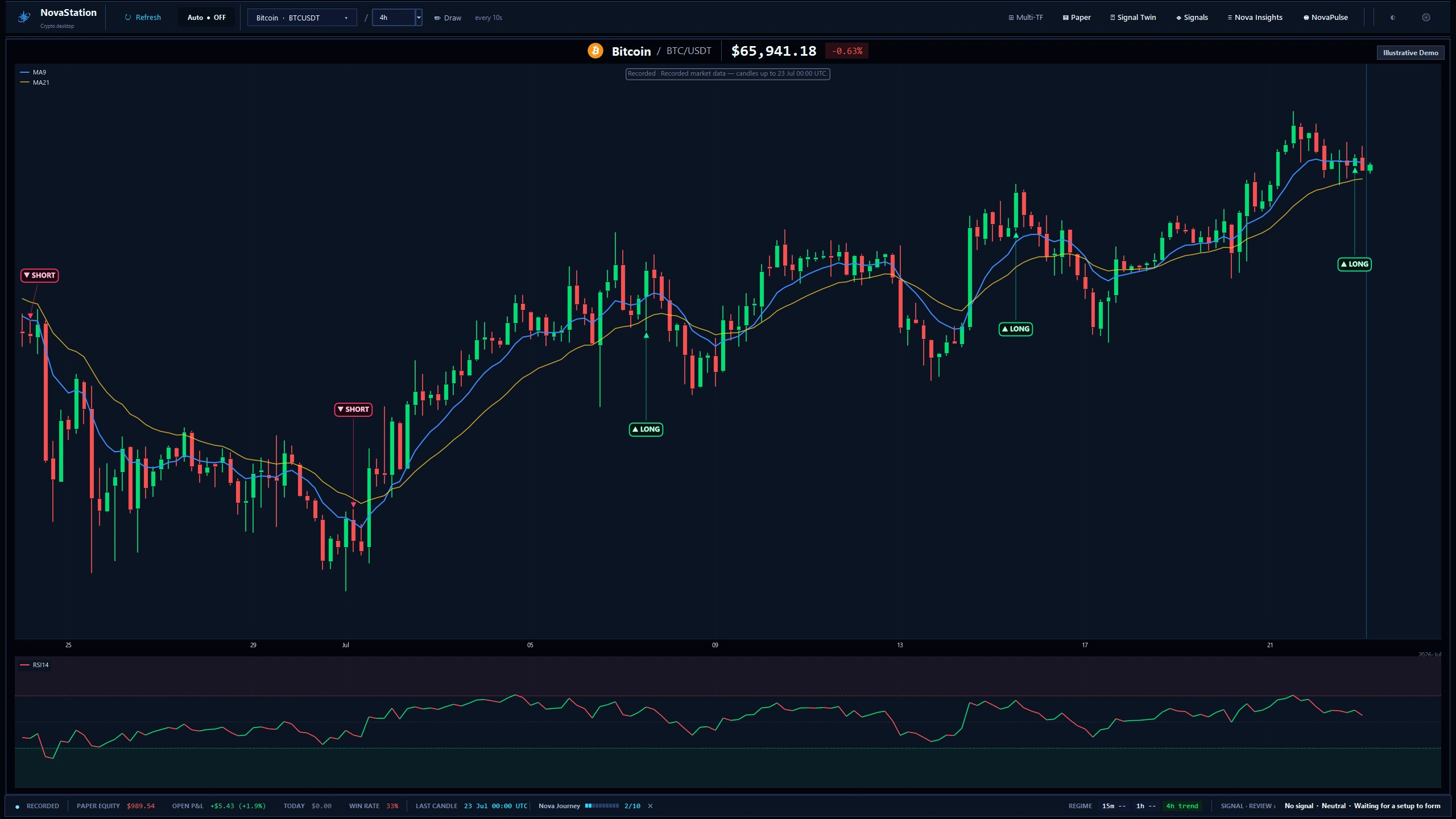
A chart shows you what price did. NovaStation also shows you the reasoning, the precedent and the practice run.
Every signal carries its own explanation — why it fired, in plain English, with the trend, momentum and volume checks the engine ran. It is context, not an instruction.
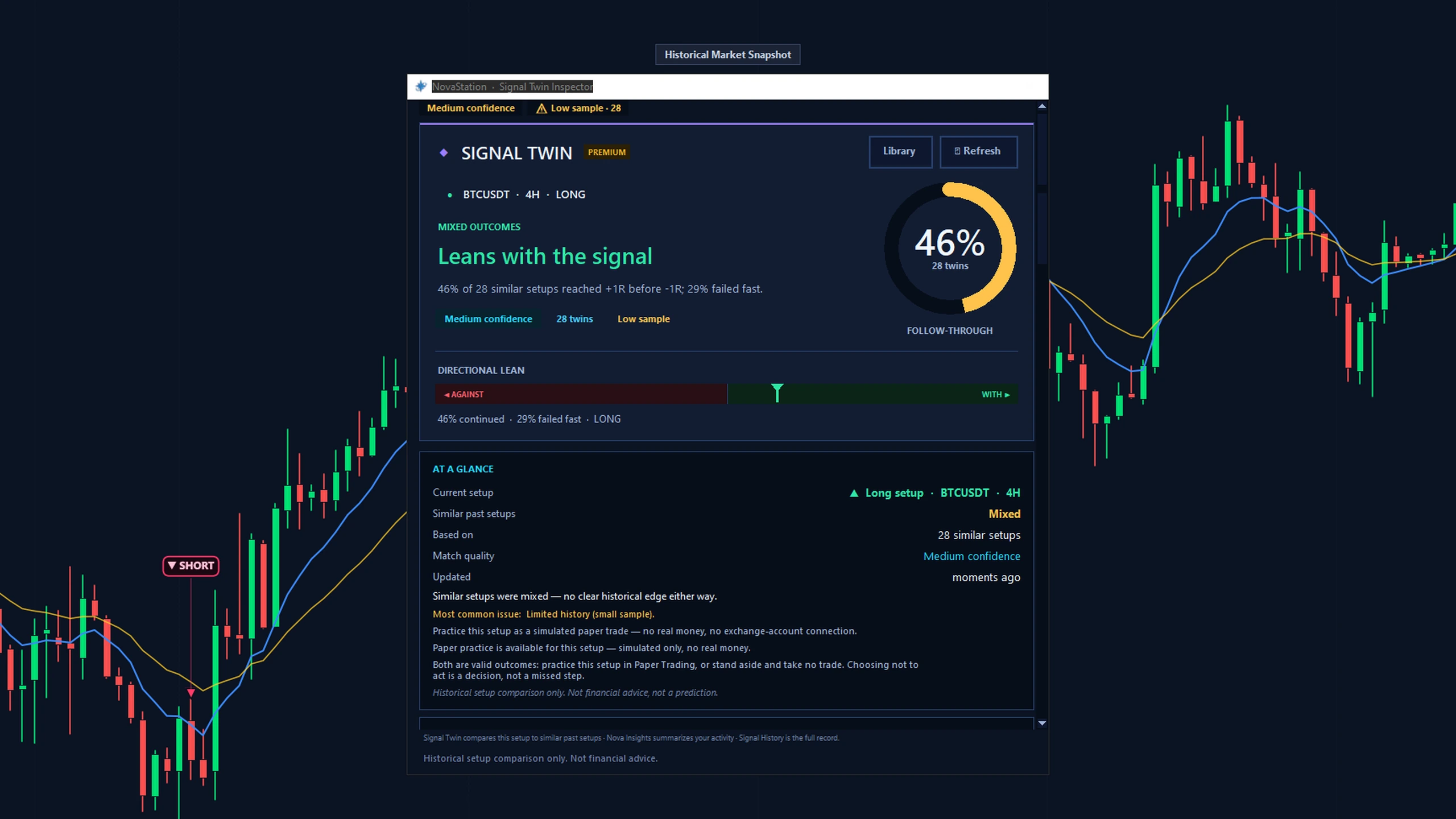
Signal Twin pulls similar past setups out of Market Memory and shows how they resolved and where they failed. That is historical context, not a prediction.
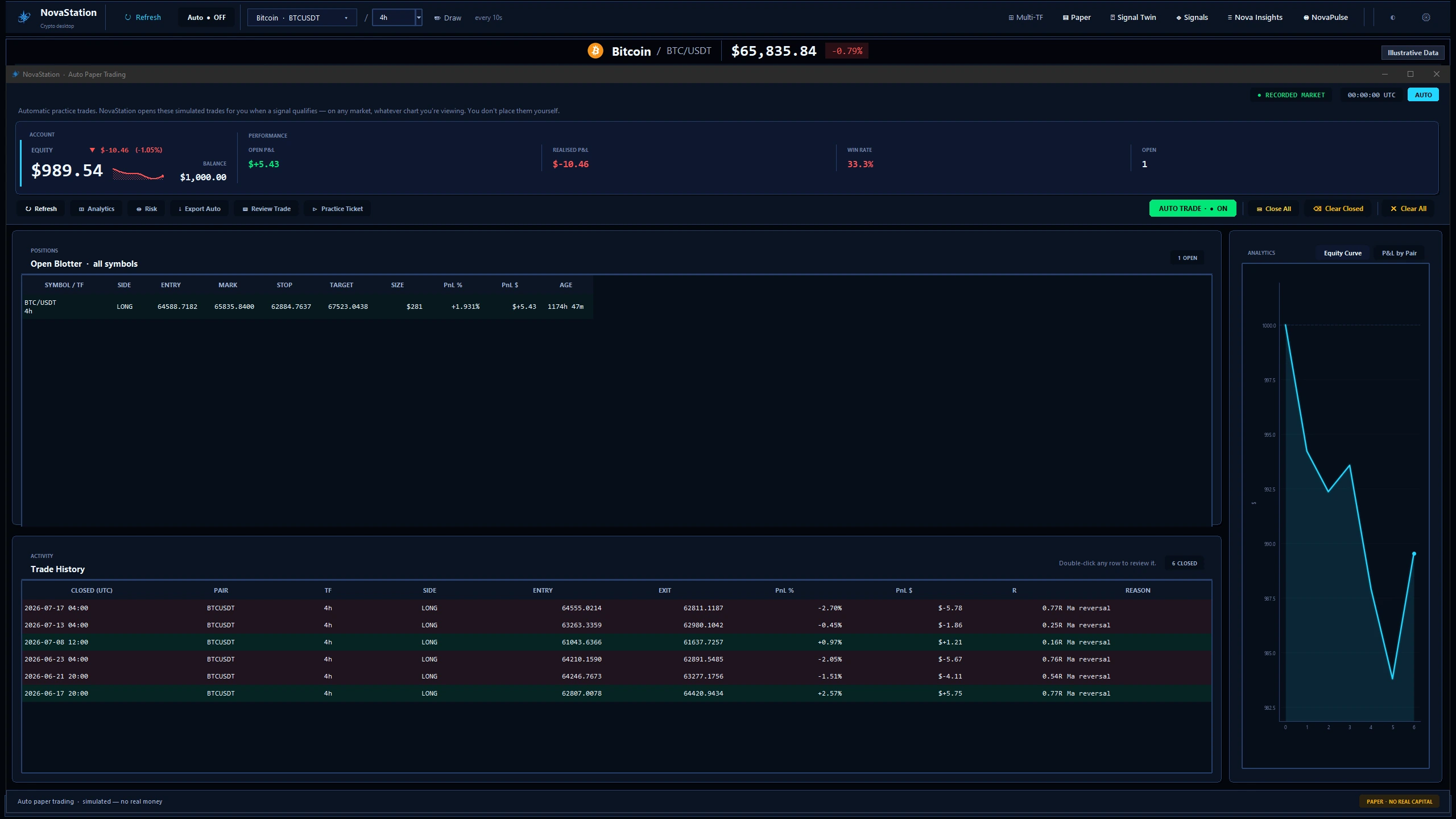
Take the setup as a paper trade, let it play out, then review it in NovaInsights. Simulated only. No real trades, and no exchange-account connection.
Real captures of the shipping app. Each caption says what the frame is running on.
Signal Twin compares the setup in front of you with similar past setups in Market Memory — how many followed through, which way they leaned, and Ghost Paths replaying how they moved. A thin sample or split evidence is said out loud.
Take the setup as a simulated trade and let it run: order ticket, open positions, history and an equity curve — with no real money, no broker, and no order ever reaching an exchange.
Every signal lands in Signal History — what fired, when, at what price and why. NovaInsights summarises your signals, alerts and simulated trades with full P&L, stored on your own machine.
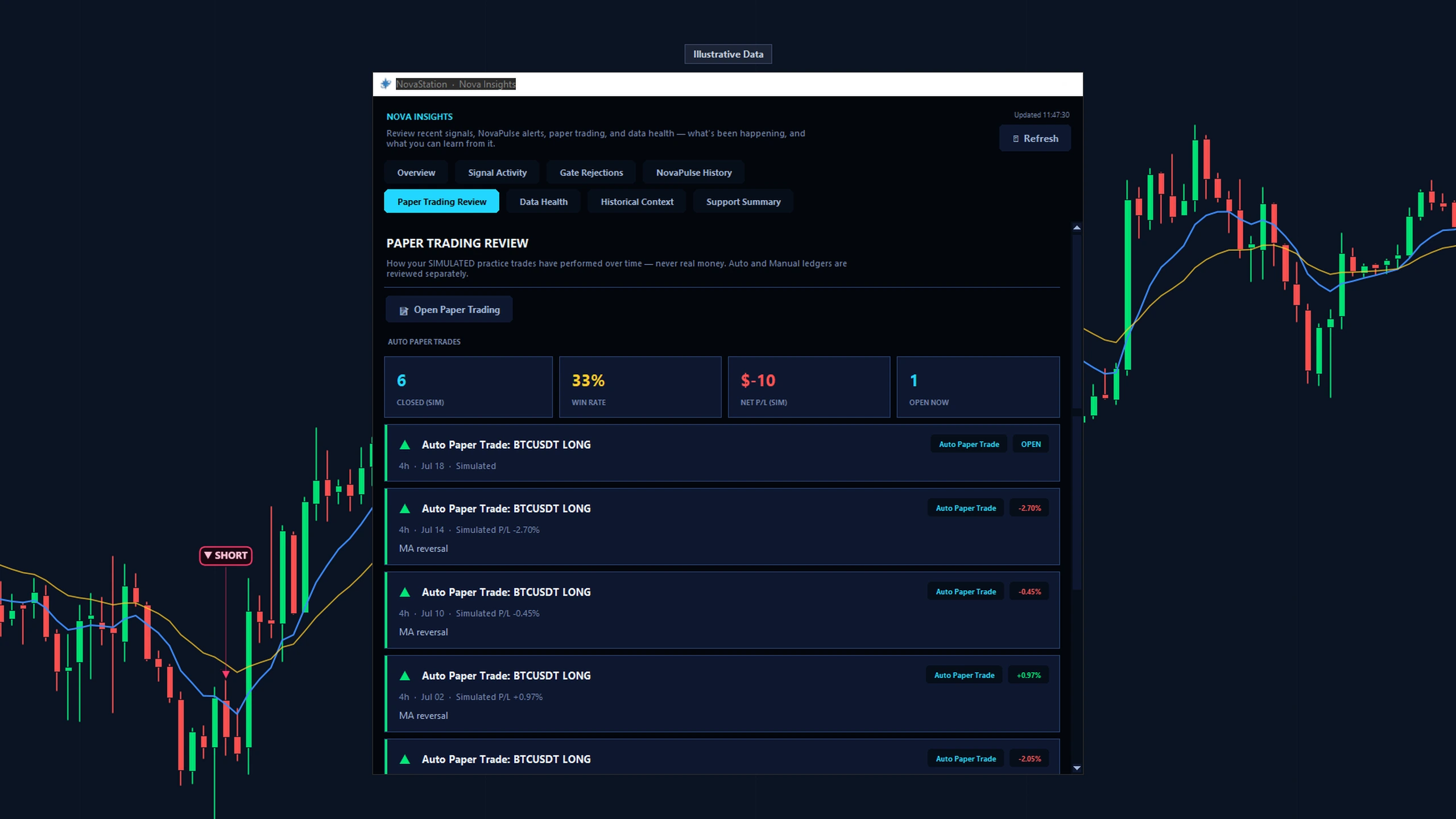
NovaStation says so, in the window, instead of manufacturing a verdict to fill the space.
When a condition is not met the setup does not fire, and the app names the check that is holding it.
Signal Twin reports a low sample or a split result as exactly that — no clear lean is reported as no clear lean.
Signals evaluate on closed candles only. If the feed is behind, or a surface has nothing to show yet, it says so.
One app carries the whole sequence, and what you learn in the review feeds the next setup.
A condition you configured lines up, and the engine marks it on the chart where it formed.
Open the signal and read why it fired, in plain language, with the checks the engine ran beside it.
Signal Twin puts it next to similar past setups and how they resolved, uncertainty included.
Paper-trade the decision, review the outcome in NovaInsights, and carry it into the next setup.
One flat price, cancel anytime. No card is needed to download, and none to try Premium.
The chart workspace across a core set of symbols, with the 1D chart preview only. No account, no card, no expiry.
The full workstation: signals, Signal Twin and Market Memory, NovaPulse alerts, simulated paper trading, NovaInsights, and active timeframe control across 15m, 1h and 4h beside the 1D preview.
7-day Premium trial — $0
Every Premium feature for a week. The trial starts inside the app, from the welcome screen. No card, no automatic charge, nothing to cancel. After 7 days you are simply back on Lite.
Yes. The free download opens in Lite — 1D chart preview only, a core set of symbols, no account and no expiry. A 7-day Premium trial starts inside the app with no card, and Premium is $14.99/month.
No. NovaStation reads public market data, but it is not a broker or exchange: it never connects to your exchange account and never places an order. Paper trading is simulated end to end.
A Windows 10 or 11 PC, 64-bit. There is no macOS, Linux, web or mobile build — the download page lists the full requirements and the installer details.
Your Premium key is emailed automatically after checkout, and you enter it in the app you already downloaded; the activation guide has the steps. You can also sign in to your customer account to view your Premium status, billing, license and devices.
Download from the official site, check the fingerprint, then open it.
Trading crypto is risky and you can lose money. Read the full Risk Disclaimer.
NovaStation requires a Windows 10 or 11 PC. View Windows download details · How it works · FAQ