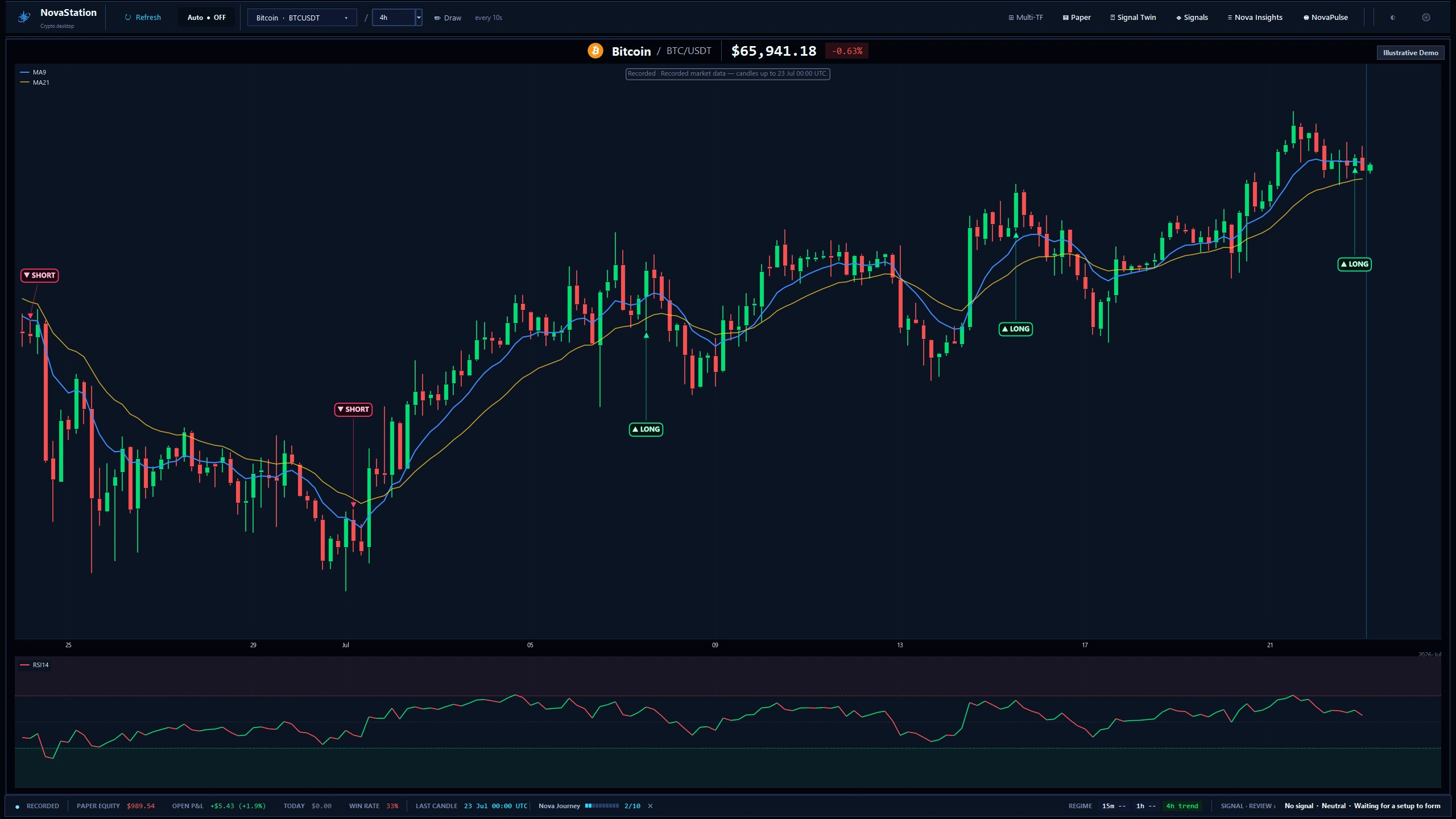
Open the chart workspace free in Lite — no account, card, or license required. The free download is the full NovaStation app: it opens as Lite (a core set of symbols on the 1D chart preview), and inside it you can start a 7-day Premium trial of everything — no card, no automatic charge, and it returns to Lite when it ends.
FreeWindows 10 & 11 installer — no account, no card. It opens in Lite; start a 7-day Premium trial or subscribe for $14.99/month whenever you're ready.
What opens when the installer finishes. Lite shows the 1D chart preview; the trial and Premium unlock the rest. Shown on recorded market data with an illustrative account.
What NovaStation Lite is
A free preview of the full workstation.
Lite exists so you can see the desktop interface before you decide whether to subscribe. It is intentionally limited — Lite shows the chart on the 1D preview timeframe and the symbol selector, and nothing else. The active 15m, 1h, and 4h timeframes are part of Premium.
What Lite includes
App opens with no license required
Limited symbol selection (BTC, ETH, SOL, BNB, XRP)
1D chart preview only — 15m, 1h, and 4h are Premium
Polished interface preview — same dark theme as Premium
What Lite does NOT include
No buy signals or sell signals
No signal markers, signal labels, or signal history
No signal strength, confidence, or signal reasons
No entry suggestions, exit suggestions, or trade-direction hints
No Discord, Telegram, or webhook alerts — and no NovaPulse / Daily Pulse alerts
No paper trading — manual or automatic, including auto-opened paper trades
No Gate Inspector, advanced settings, or NovaInsights review surfaces
No Signal Twin or Market Memory — the Premium features that compare a live setup against similar historical setups (outcome stats, common failure patterns, and Ghost Paths)
How it works
Download, install, and start your Premium trial.
NovaStation installs once. It opens as Lite (free), you start the 7-day Premium trial inside the app with one click, and the same install becomes Premium when you subscribe — no second download, no second folder.
Download NovaStationClick Download Free for Windows above to grab the installer (NovaStation_Setup.exe).
Run the setup wizardThe installer is per-user — no UAC prompt. NovaStation installs to %LOCALAPPDATA%\Programs\NovaStation\ and keeps your settings in %APPDATA%\NovaStation\.
Open NovaStation — it starts as LiteThe app launches straight into the workspace, no license dialog. It opens as Lite (free): try the chart on the 1D preview and switch symbols. The active 15m / 1h / 4h timeframes unlock on the trial or Premium.
Start your 7-day Premium trial — or subscribeClick Start your 7-day Premium trial in the app to unlock everything for 7 days, no card (it reverts to Lite automatically when it ends). Or subscribe via Stripe on the pricing page for ongoing access.
Download NovaStation only from this site or the official GitHub release — never from a mirror, a forwarded copy, or a third-party download portal.
Official source
novastationpro.com
Version
v1.2.3
Installer
NovaStation_Setup.exe
File size
73 MB
Platform
Windows 10 & 11 · 64-bit
Code signing
Signed & timestamped · publisher Kyle Diaz
Digitally signed — check the publisher
The installer is Authenticode-signed and timestamped; Windows shows the verified publisher
Kyle Diaz when you run it. SmartScreen can still show a caution while a newly
signed app builds reputation — if it does, confirm the publisher reads Kyle Diaz
before choosing More info → Run anyway. Never switch off Windows security to
install something; verify the signature and checksum below instead.
Verify your download
Two independent checks confirm the file is genuine: the digital signature proves who published it, and the checksum proves it is byte-for-byte the file we built.
Run this command:
Get-FileHash .\NovaStation_Setup.exe -Algorithm SHA256
Compare the hash it prints with the value above. They should match exactly — upper or lower case doesn’t matter.
Then check the signature:
Get-AuthenticodeSignature .\NovaStation_Setup.exe
The Status must be Valid and the signer certificate must name Kyle Diaz.
If they don’t match, don’t run the file. Delete it and download again from this page. If it still doesn’t match, email
novastationsupport@gmail.com before opening it.
Lite vs Premium
At a glance.
Lite shows the workspace. Premium runs the workspace as a real market-monitoring + signal + paper-trading tool.