One loop, from chart to review.
NovaStation is a Windows crypto analysis workstation that shows why a setup formed, compares it with similar historical evidence, and lets you practice and review the decision without risking real money. This page walks the whole thing, stage by stage.
NovaStation requires a Windows 10 or 11 PC.
In the order you actually use them.
Each stage names what NovaStation is doing at that point, and what it hands you to decide with.
-
Stage 1 Free in Lite
Chart — see the market clearly.
Pick a symbol and a timeframe. NovaStation opens chart-first: candles with moving averages, VWAP, Bollinger and Supertrend, plus panels for volume, RSI, MACD and StochRSI.
Without the chart, a signal is just a dot.
-
Stage 2 Premium
Signal — see when a setup forms.
When the conditions you have configured line up, the signal engine marks the setup on the chart, at the candle where it formed and in moving-average context.
Context, not an instruction. NovaStation never places a trade.
-
Stage 3 Premium
Inspect — see why it fired.
Open the reasoning drawer on the chart and NovaStation writes the read out in plain language: the main reason the setup formed, the main blocker holding it back, every supporting and cautioning condition behind it, and what would have to change to improve it.
Most tools hand you a signal and stop. This is the reasoning behind the mark.
-
Stage 4 Premium
Compare — see how setups like it resolved.
Signal Twin — historical setup comparison — pulls similar past setups out of Market Memory: how they resolved, what commonly failed, and Ghost Paths replaying how they moved after their signal.
Historical context, not a prediction — what usually happened next, never what will happen.
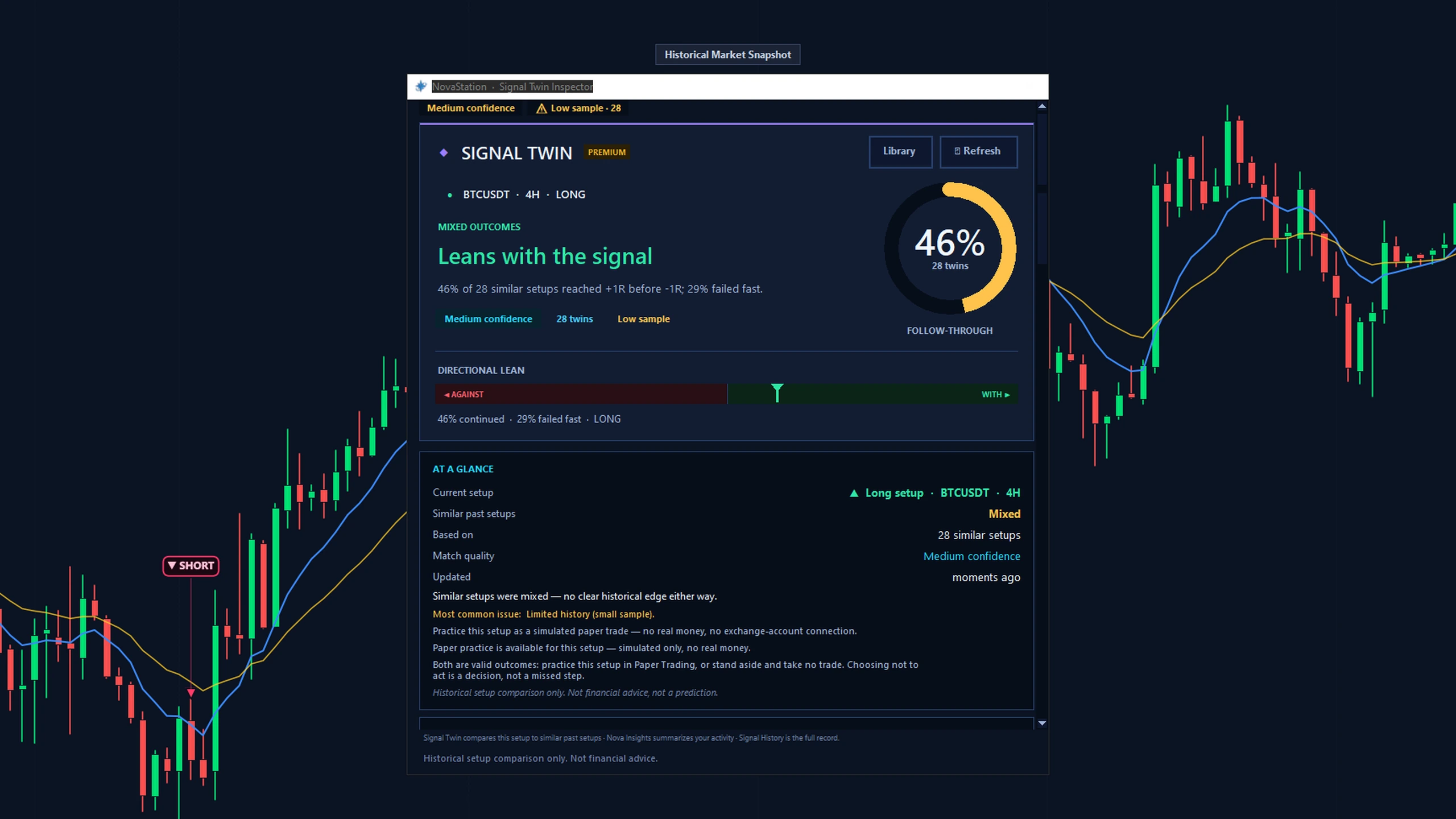
Signal Twin on 28 comparable setups from recorded data, returning a mixed low-sample result. -
Stage 5 Premium
Monitor — keep the loop running while you're away.
NovaPulse — market alerts — watches your watchlist for you. Daily Pulse alerts flag notable moves and signal changes, routed to Discord, Telegram, a webhook or the desktop — with a history you can go back through.
Alerts are informational — no exchange-account connection or order execution, and never a real trade.
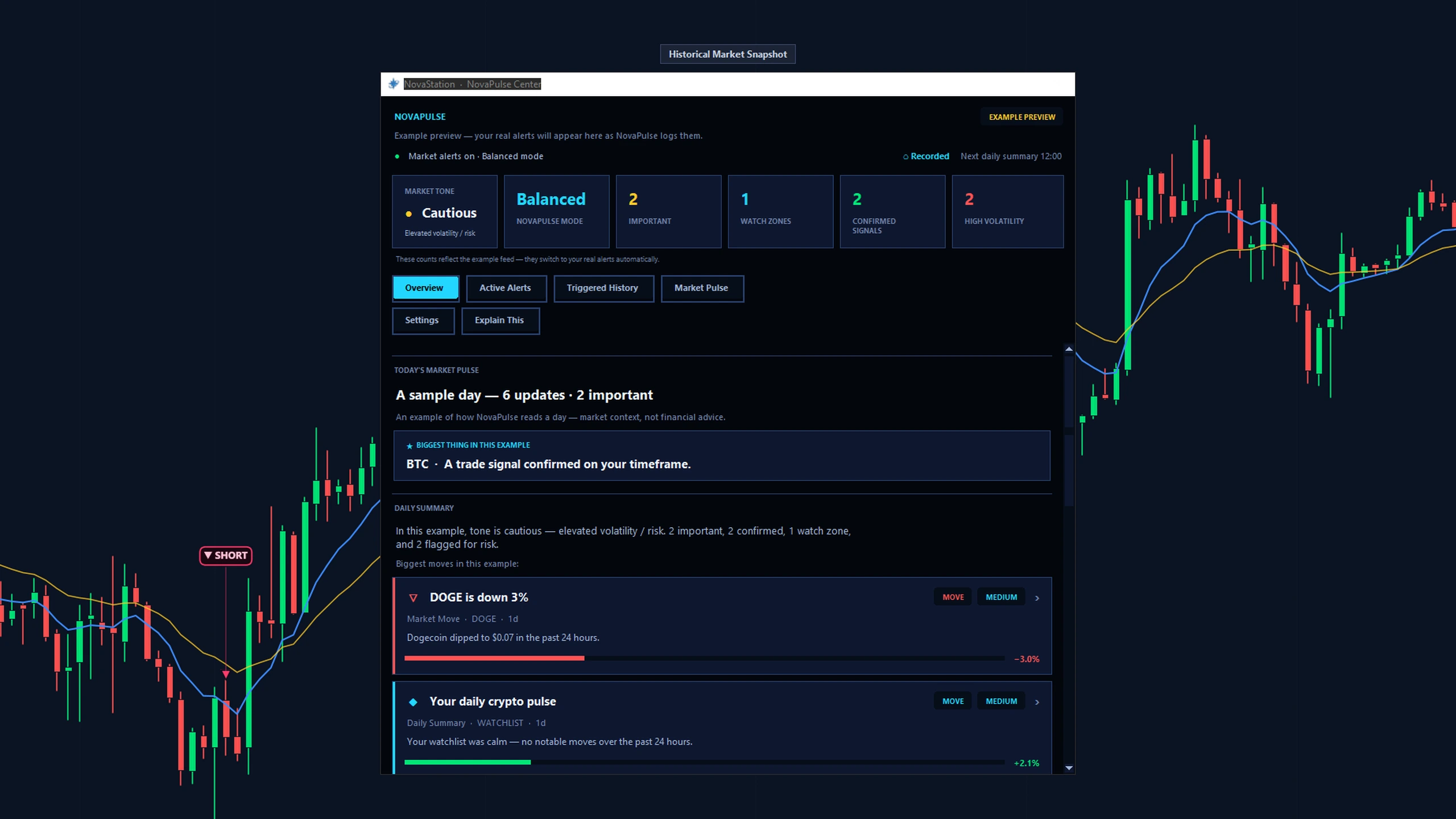
The NovaPulse Center on recorded data, in the example-preview state a new install starts with. -
Stage 6 Premium
Practice — rehearse the decision, risk nothing.
Place the setup as a simulated paper trade — manually, or automatically from the signal — and let it play out. An order ticket, open positions, history and an equity curve. No real money, and no exchange-account connection or order execution.
You rehearse the decision before it can cost you anything.
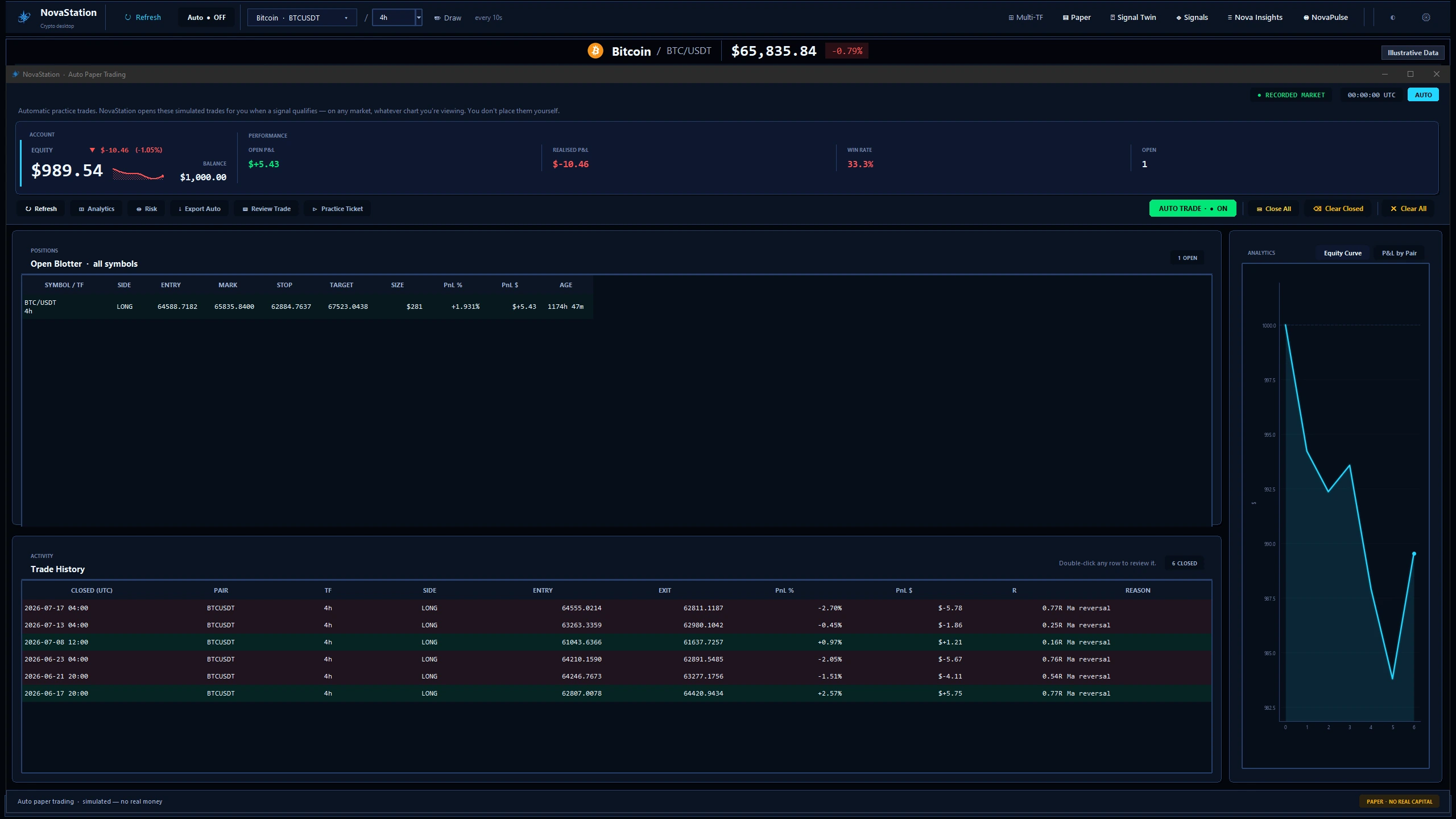
A simulated practice account that is down over the period. -
Stage 7 Premium
Review — close the loop and start again.
Every signal lands in Signal History — the time-ordered record of what fired, when, at what price, and why. NovaInsights — your review history — sits on top of it, summarizing your signals, alerts and paper trades with full P&L, stored on your machine.
A setup you never review is a setup you didn't learn from.
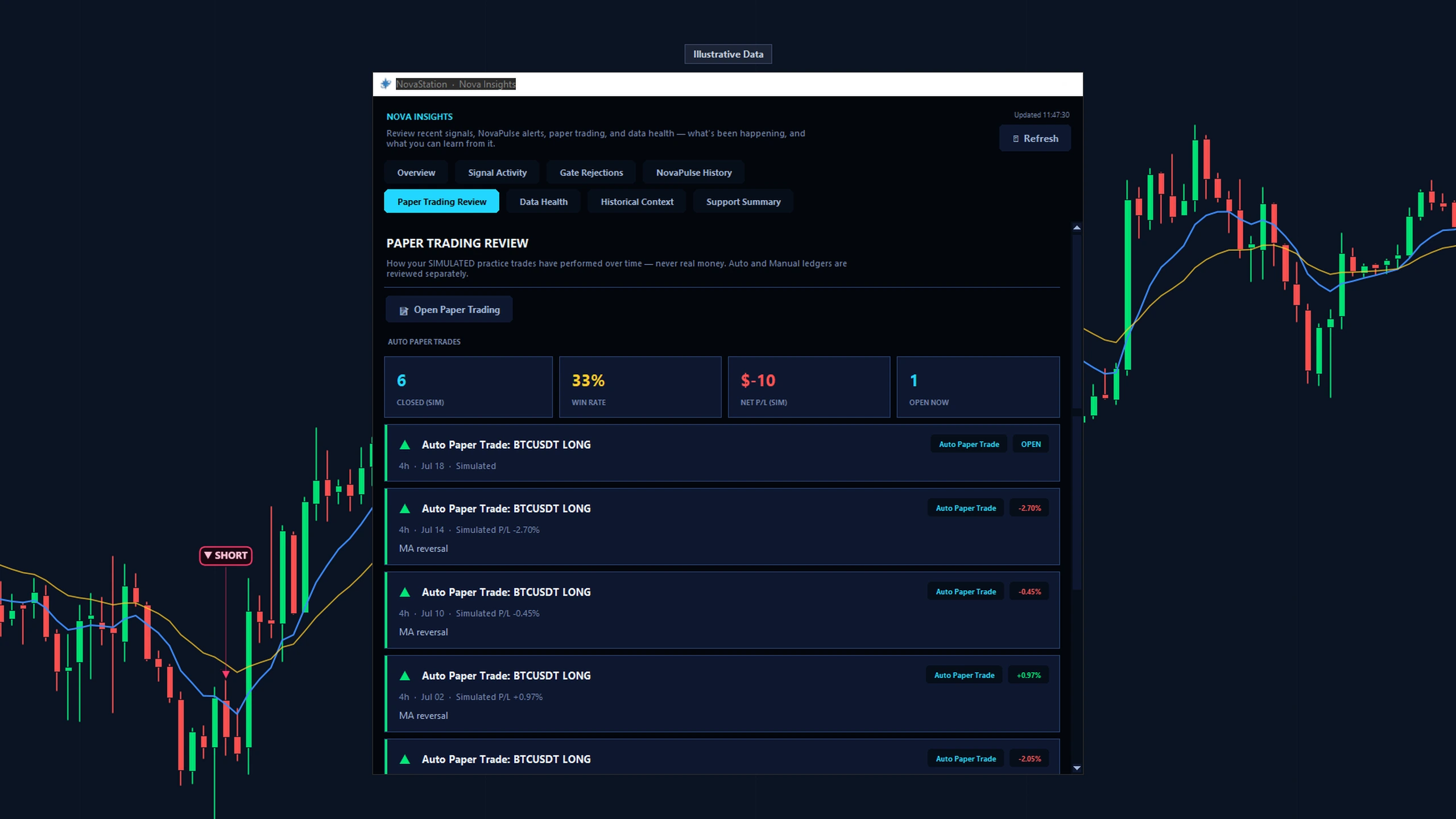
Nova Insights reviewing a simulated paper-trading record, labelled Illustrative Data in the product.
Which part of NovaStation would help you most?
Pick the goal closest to yours. Each path walks only the stages that serve it.
- Understand why signals appear See which conditions passed, which blocked, and what the engine was reading. Chart · Signal · Inspect · Compare
- Practice decisions without real money Commit the call as a simulated trade, then review how that decision went. Chart · Signal · Practice · Review
- Monitor markets and alerts Watch the pairs you chose, and get the reasoning attached when one triggers. Chart · Inspect · Monitor · Review
- Compare current and historical setups Read the setup in front of you against comparable ones from the past. Signal · Inspect · Compare · Review
- Explore the complete workflow Follow one setup through all seven stages, in order, once. All seven stages