Your starting path

Practice decisions without real money

Practice the decision before risking real money.

Make the call, record it as a simulated trade, and come back later to see how that decision actually went — with nothing at stake.

4 chapters Chart · Signal · Practice · Review

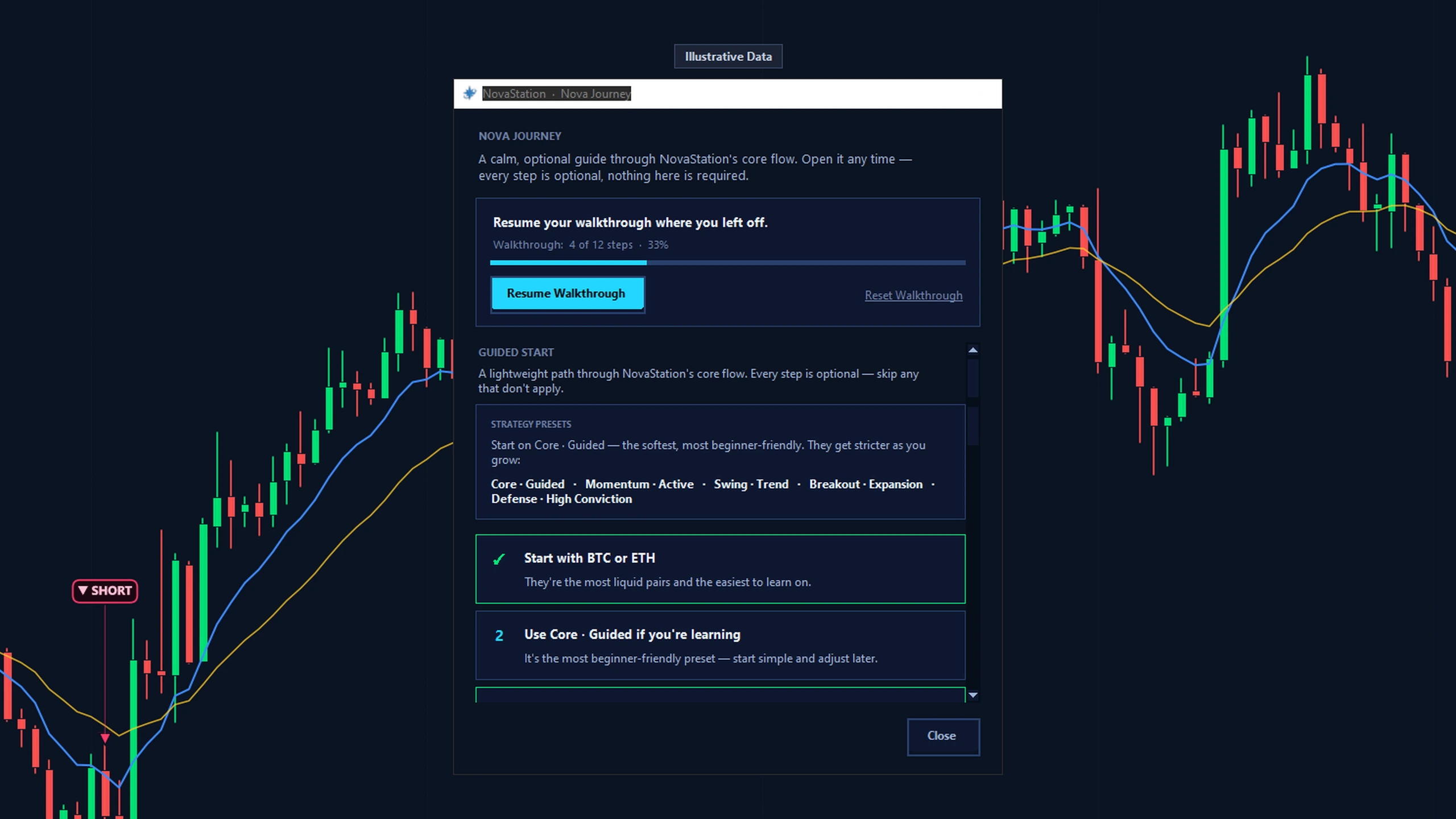
The Nova Journey panel in NovaStation: an optional walkthrough picked up part-way — 4 of 12 steps, 33% — above a guided-start list that suggests starting with BTC or ETH and using the Core — Guided preset, with every step marked optional. The window is labelled Illustrative Data.
Nova Journey, the app's optional walkthrough, picked up part-way at 4 of 12 steps. Every step is marked optional, and the window is labelled Illustrative Data.

Begin path

Where this path fits

  • ChartIn this path
  • SignalIn this path
  • InspectLater, in the app
  • CompareLater, in the app
  • MonitorLater, in the app
  • PracticeIn this path
  • ReviewIn this path

Highlighted stages are the ones this path walks.

Practice decisions without real money

Chart

Chapter 1 of 4 · 0 of 4 read · 0%

  1. Chart Current chapter
  2. Signal Not read yet
  3. Practice Not read yet
  4. Review Not read yet
Next: Signal

Change path

The path

4 chapters, in the order the loop runs.

Chapter 1 of 4 Chart

Make your own read first.

Nothing is marked on the chart yet, so the read is entirely yours — trend, level, and the point at which you would want to be wrong.

What to look for

What you would have done here, before you scroll. Write it down if it helps — an unrecorded opinion is very easy to revise later.

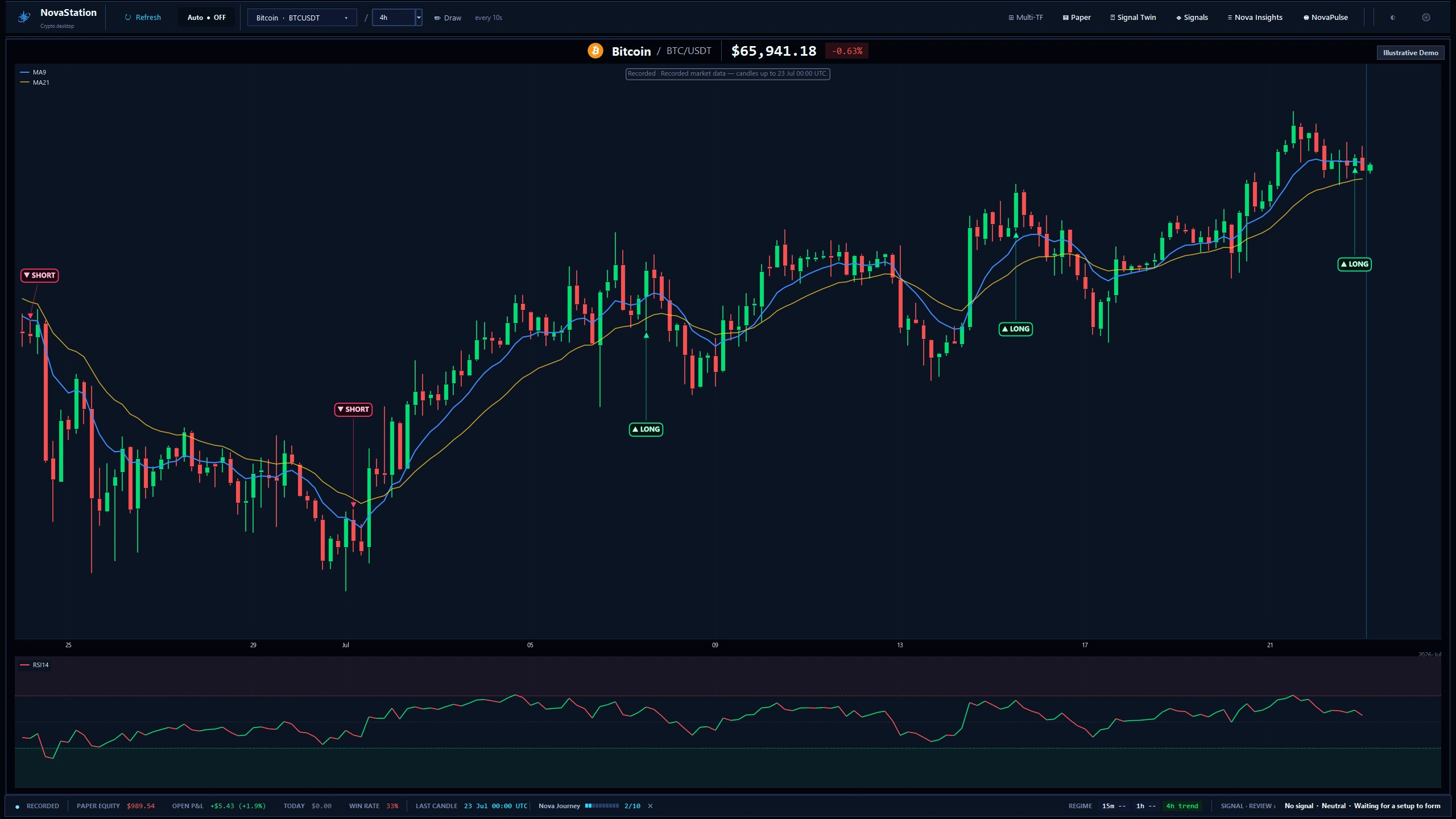
The NovaStation workstation on a recorded BTC/USDT 4h chart: MA9 and MA21 over the candles, sparse LONG and SHORT setup markers, an RSI panel underneath, and a status bar showing the last recorded candle, the timeframe regime and the engine's current no-signal review. The app labels the frame Recorded and Illustrative Demo.
The main workstation on a recorded BTC/USDT 4h chart. The frame is labelled Recorded and Illustrative Demo — this is a captured session, not live data.

The value of practice is in the decision, not in the outcome.

Continue to Signal

Chapter 2 of 4 Signal

Compare your read with the engine's.

The engine's marker now appears on the same candles you just read, with the verdict it reached and the level it reached it at.

What to look for

The disagreements. Where you saw a setup and the engine did not is the most informative place on the screen.

Agreement teaches you nothing. The gap between the two reads is the lesson.

Continue to Practice

Chapter 3 of 4 Practice

Commit the decision, with nothing at stake.

Entry, size and exit are recorded exactly as you chose them, and the position stays open until you close it.

What to look for

The Paper — No Real Capital label on the window. Nothing in this workspace reaches an exchange or an account.

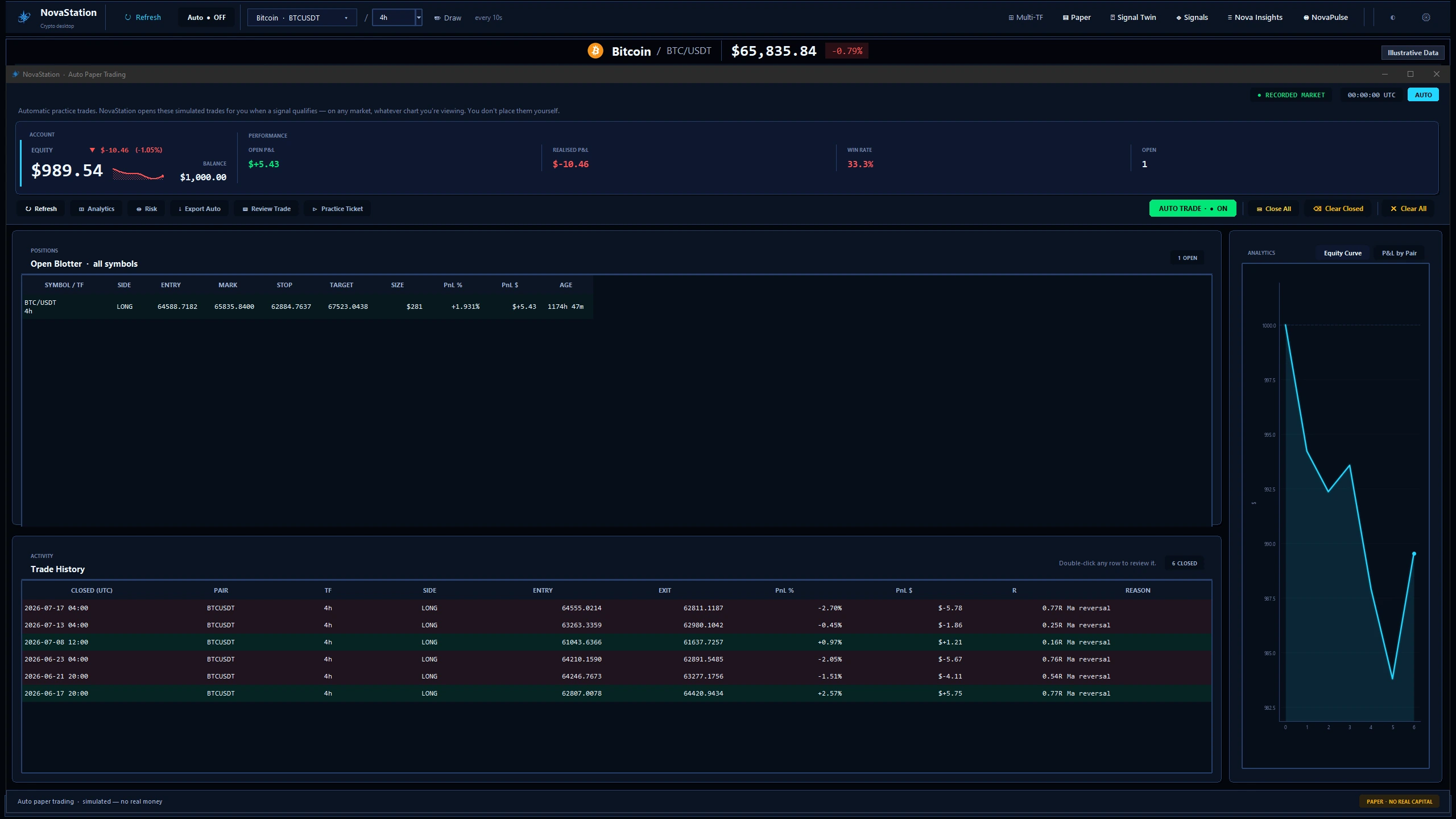
The NovaStation automatic paper-trading workspace over a recorded market snapshot: an illustrative practice account with one open LONG position on BTC/USDT 4h, six closed trades in the history table, a 33.3% win rate and an equity curve. The window is labelled Illustrative Data and Paper - No Real Capital.
The paper-trading workspace with an illustrative practice account. The window is labelled Paper — No Real Capital, because nothing here reaches an exchange.

Paper trading is simulated. NovaStation places no real orders.

Continue to Review

Chapter 4 of 4 Review

Come back and read what happened.

NovaInsights logs every simulated trade with its outcome, so a call you made weeks ago is still there to be read.

What to look for

Your own decision beside the result — not the win rate on its own, which tells you nothing about why.

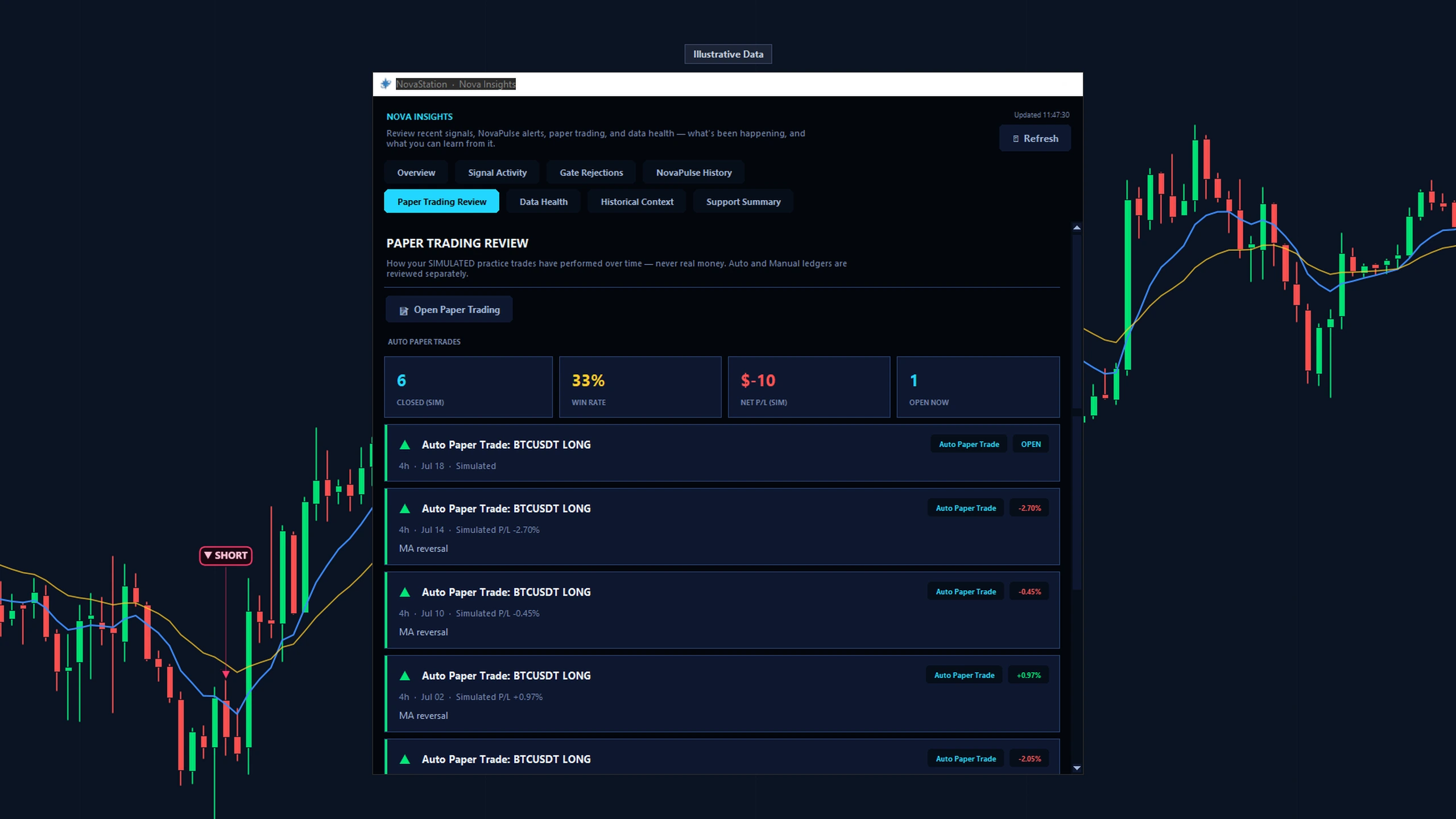
NovaStation's Nova Insights review window on the Paper Trading Review tab, labeled 'Illustrative Data': a summary of a simulated paper-trading record — closed trades, win rate, total P&L and an open position — generated from the app's own reconciled paper ledger, not real trading results.
Nova Insights on the Paper Trading Review tab, labelled Illustrative Data. The figures come from the app's own reconciled paper ledger, not from real trading.

Reviewing your own call is what makes practice compound.

Complete this path

First move

Do this first.

Take one setup through a simulated paper trade and review the result.

Access

What this path costs.

Lite Chart

Trial or Premium Signal · Practice · Review

Trial 7 days · starts inside the app · no card

Chart is the free Lite workspace — for as long as you like, with no account and no card. The other stages are Premium: you start the trial from inside the desktop app, not from this website, and it does not ask for a card. See pricing for what Premium costs afterwards.

  • Paper trading is simulated. NovaStation places no real orders and is not connected to an exchange account.
  • A simulated result shows what your rules would have done. It is not a forecast of what you would have made.
Next

Continue in NovaStation

You followed a decision from your own read, to the engine's read beside it, to a simulated trade and the review that closes it.
Download NovaStation Download for Windows View Windows Download View Windows Download Details Read the Quick Start

Lite is free and needs no account. NovaStation requires Windows 10 or 11.

Inside the app, Nova Journey can point you at the paper-trading panel — optional, and dismissible whenever you like.

Starting somewhere else? Change starting path