Follow one setup through the complete NovaStation loop.
Walk the whole loop once, in order, so you know what each stage is for before you decide which ones you will actually use.
7 chaptersChart · Signal · Inspect · Compare · Monitor · Practice · Review
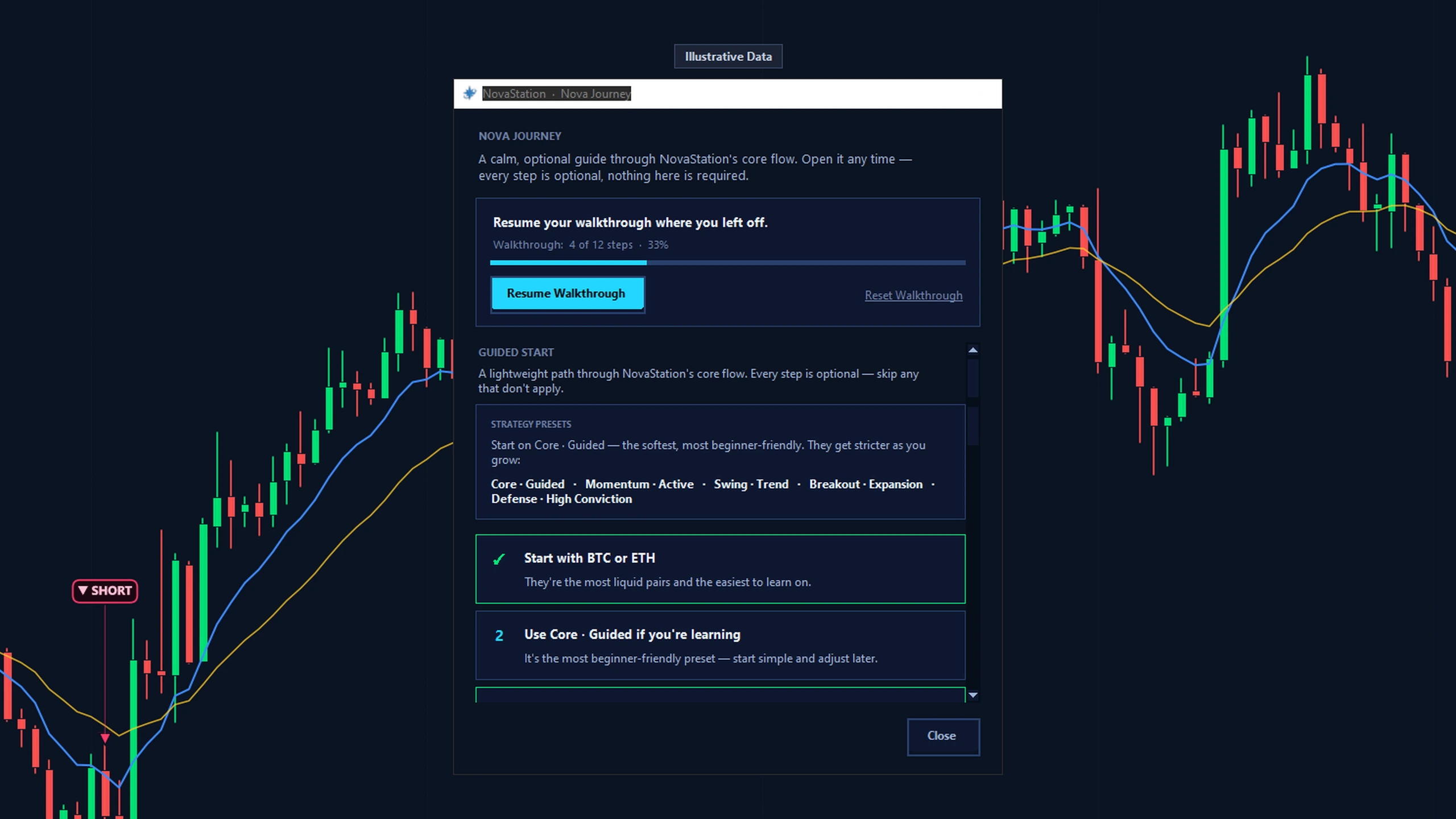
Nova Journey, the app's optional walkthrough, picked up part-way at 4 of 12 steps. Every step is marked optional, and the window is labelled Illustrative Data.
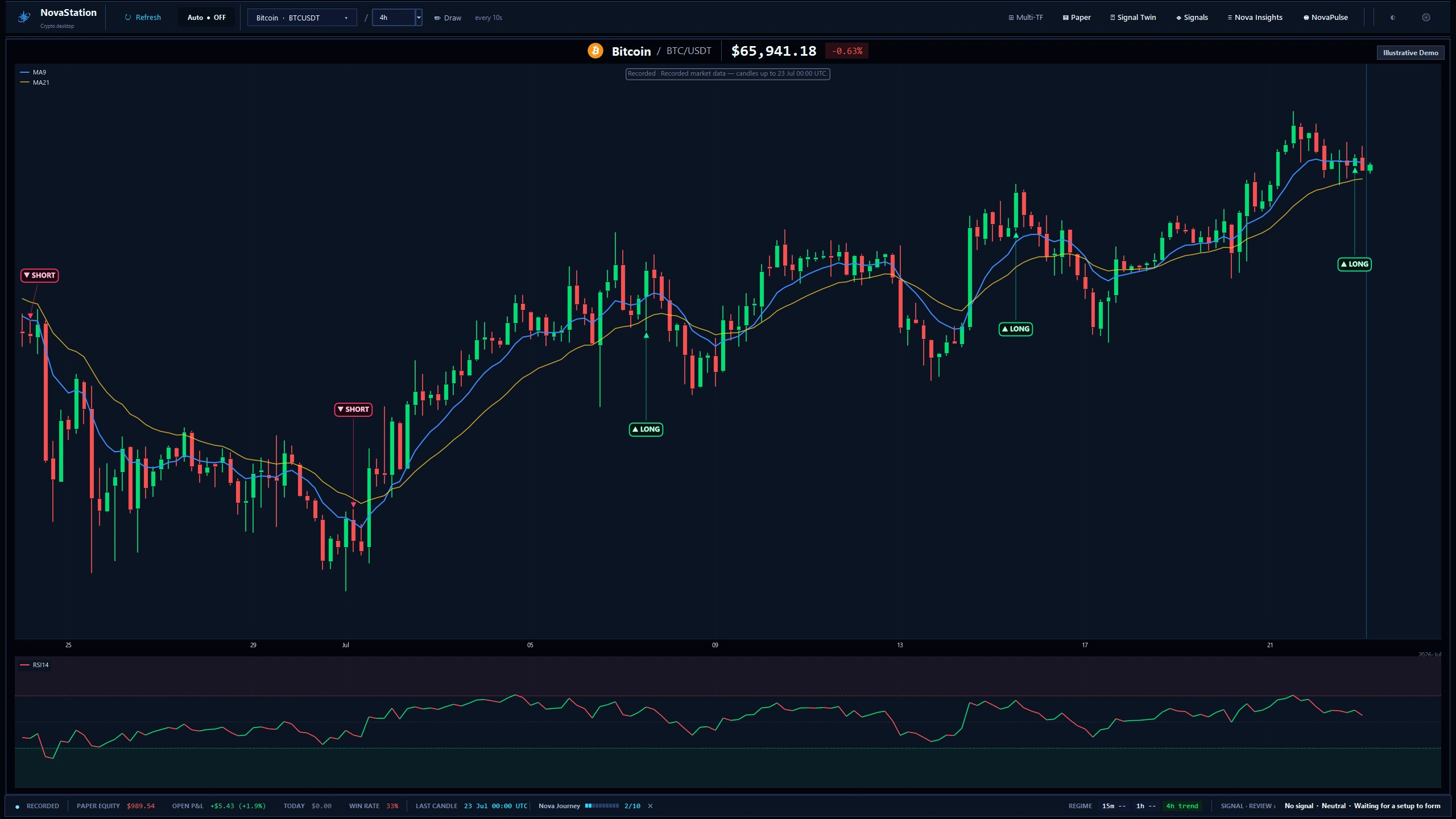
Stage one is the chart itself: the pair, and the period you choose to read it on.
What to look for
The timeframe and the last closed candle. Everything downstream is anchored to them.
The main workstation on a recorded BTC/USDT 4h chart. The frame is labelled Recorded and Illustrative Demo — this is a captured session, not live data.
Every later stage is a statement about this chart.
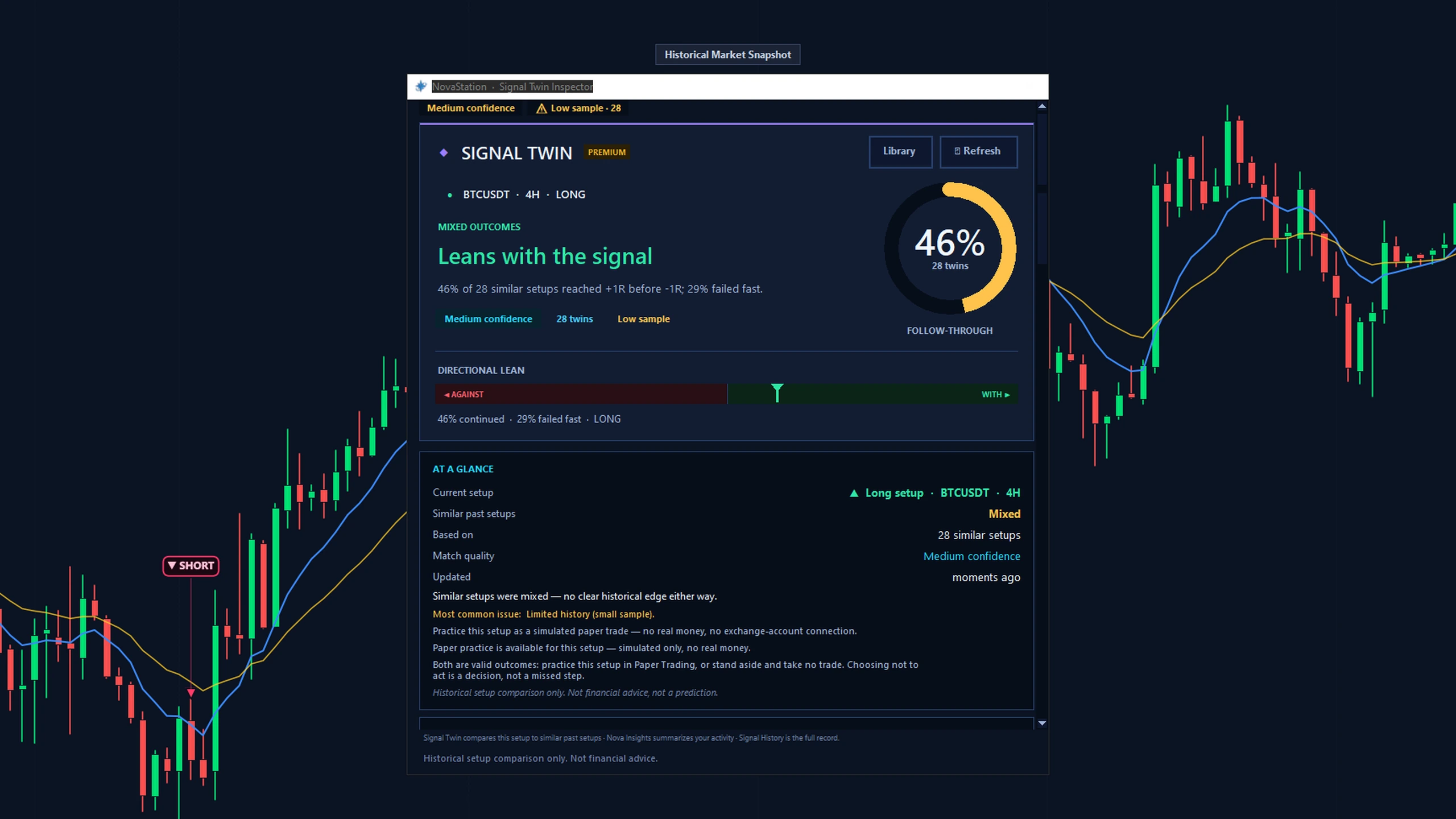
Signal Twin gathers setups that formed under similar conditions, winners and duds alike.
What to look for
The sample size and the confidence flag, before the headline number.
Signal Twin on a recorded snapshot: one LONG setup against 28 comparable past ones. The window flags the low sample and reads “mixed — no clear historical edge”.
Comparable history is context. It is not a prediction.
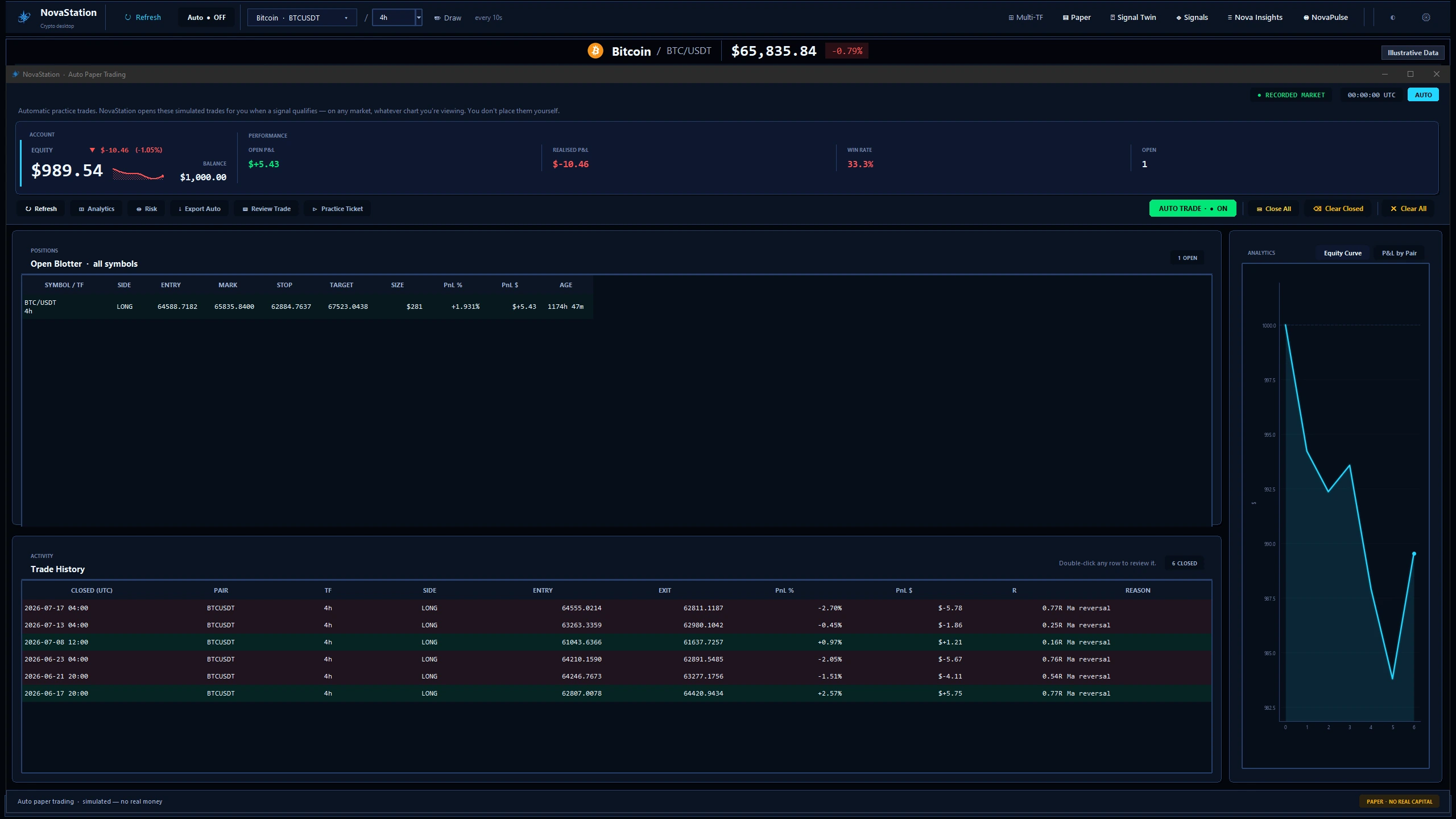
Your call is recorded as a simulated position — entry, size, exit, closed when you say.
What to look for
The Paper — No Real Capital label. Nothing here reaches an exchange.
The paper-trading workspace with an illustrative practice account. The window is labelled Paper — No Real Capital, because nothing here reaches an exchange.
Paper trading is simulated. NovaStation never places a real trade.
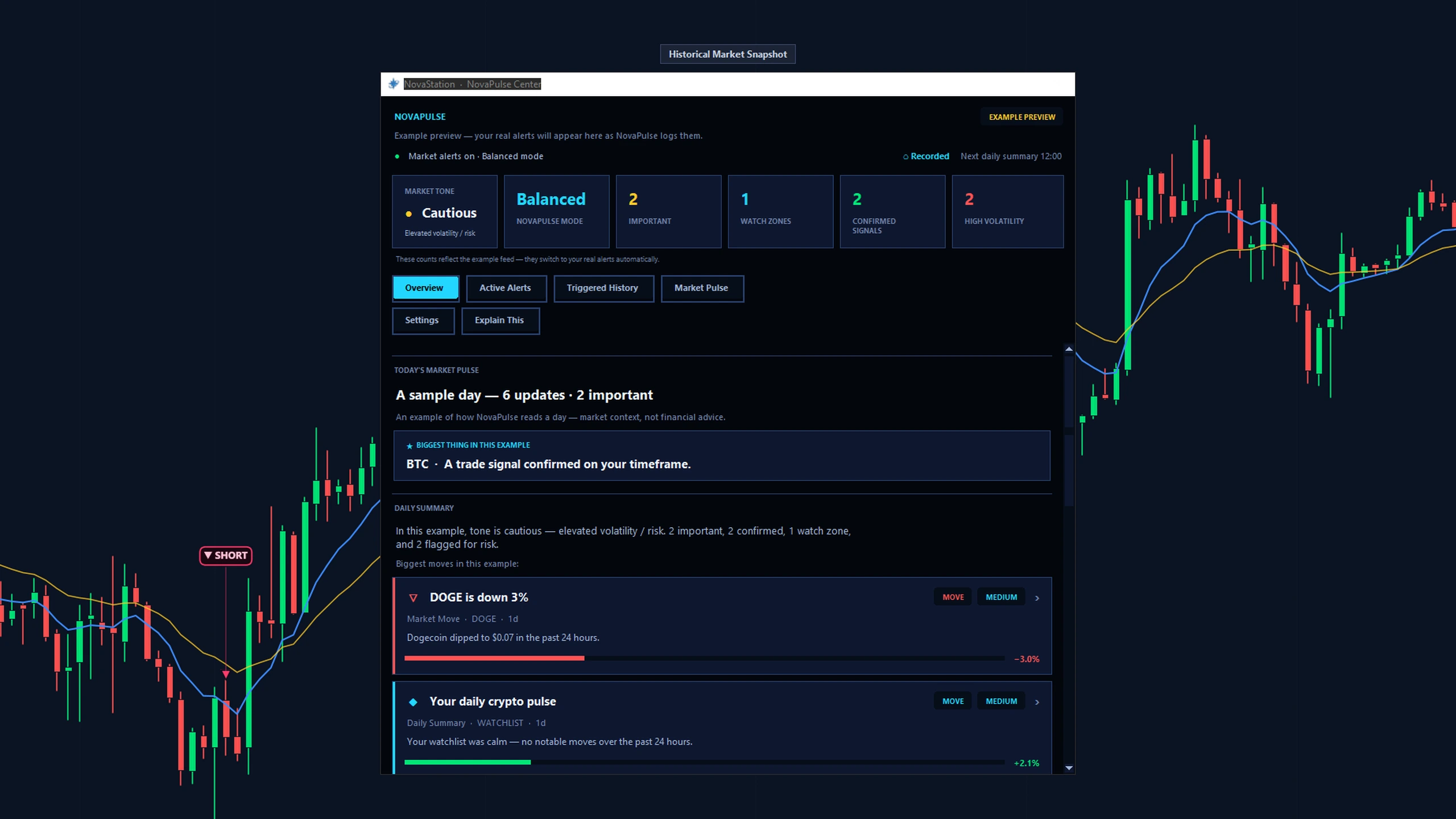
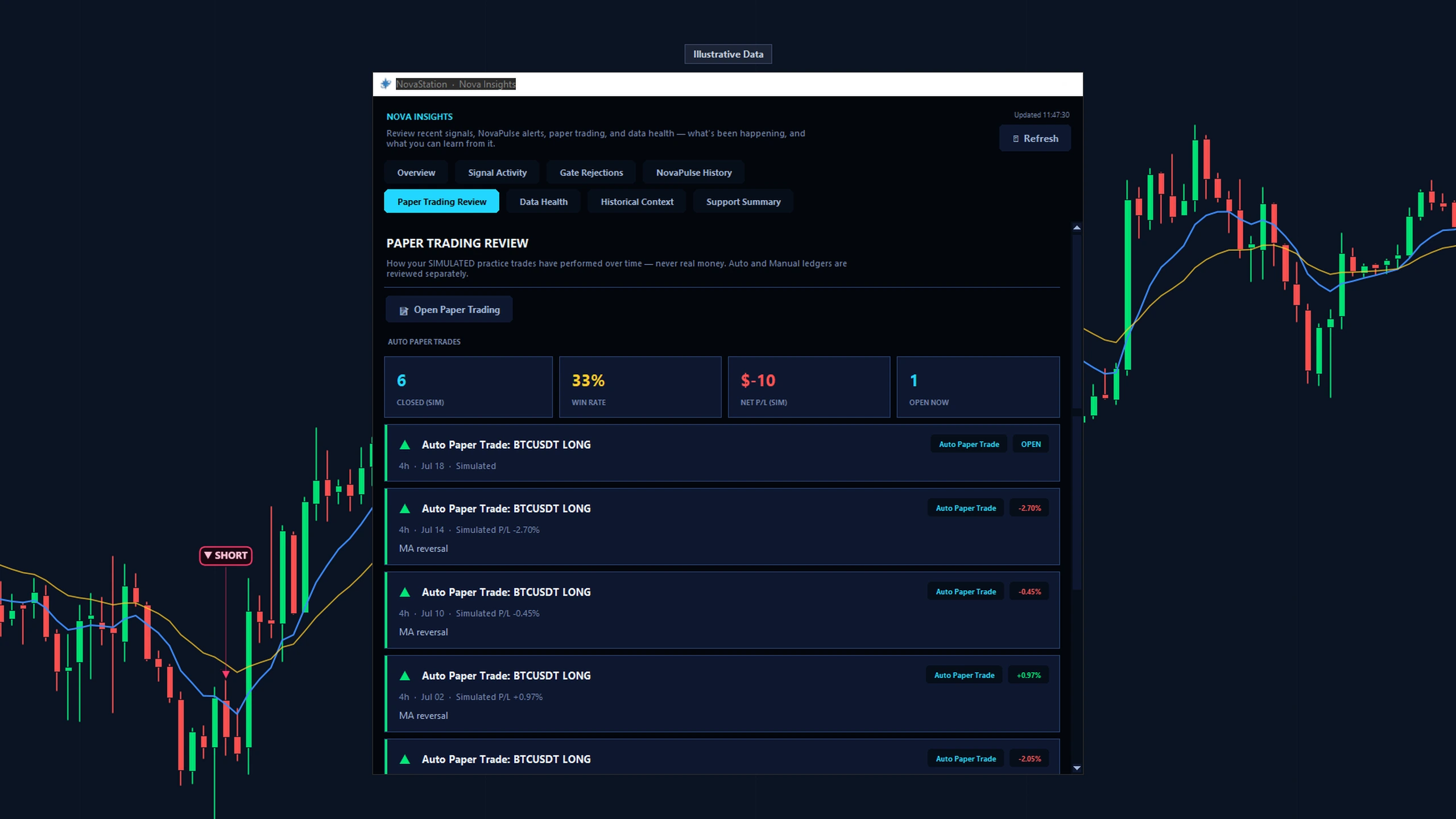
NovaInsights aggregates what you logged — by pair, by strategy, by how it resolved.
What to look for
Your decision beside the result — the pairing is the whole point of the stage.
Nova Insights on the Paper Trading Review tab, labelled Illustrative Data. The figures come from the app's own reconciled paper ledger, not from real trading.
The loop closes here, and the next read starts from evidence.
Follow one setup from chart context through review with Nova Journey available as an optional guide.
Access
What this path costs.
LiteChart
Trial or PremiumSignal · Inspect · Compare · Monitor · Practice · Review
Trial7 days · starts inside the app · no card
Chart is the free Lite workspace — for as long as you like, with no
account and no card. The other stages are Premium: you start the trial
from inside the desktop app, not from this website, and it does not ask for a card.
See pricing for what Premium costs afterwards.
Signals and historical comparisons are context, not instructions.
Paper trading is simulated — NovaStation never places a real trade.
Next
Continue in NovaStation
You've explored this starting path.
You walked all seven stages once, in the order the loop runs: chart, signal, inspect, compare, monitor, practice, review.