Read a current setup next to comparable ones from the past, instead of treating a single marker as the whole story.
4 chaptersSignal · Inspect · Compare · Review
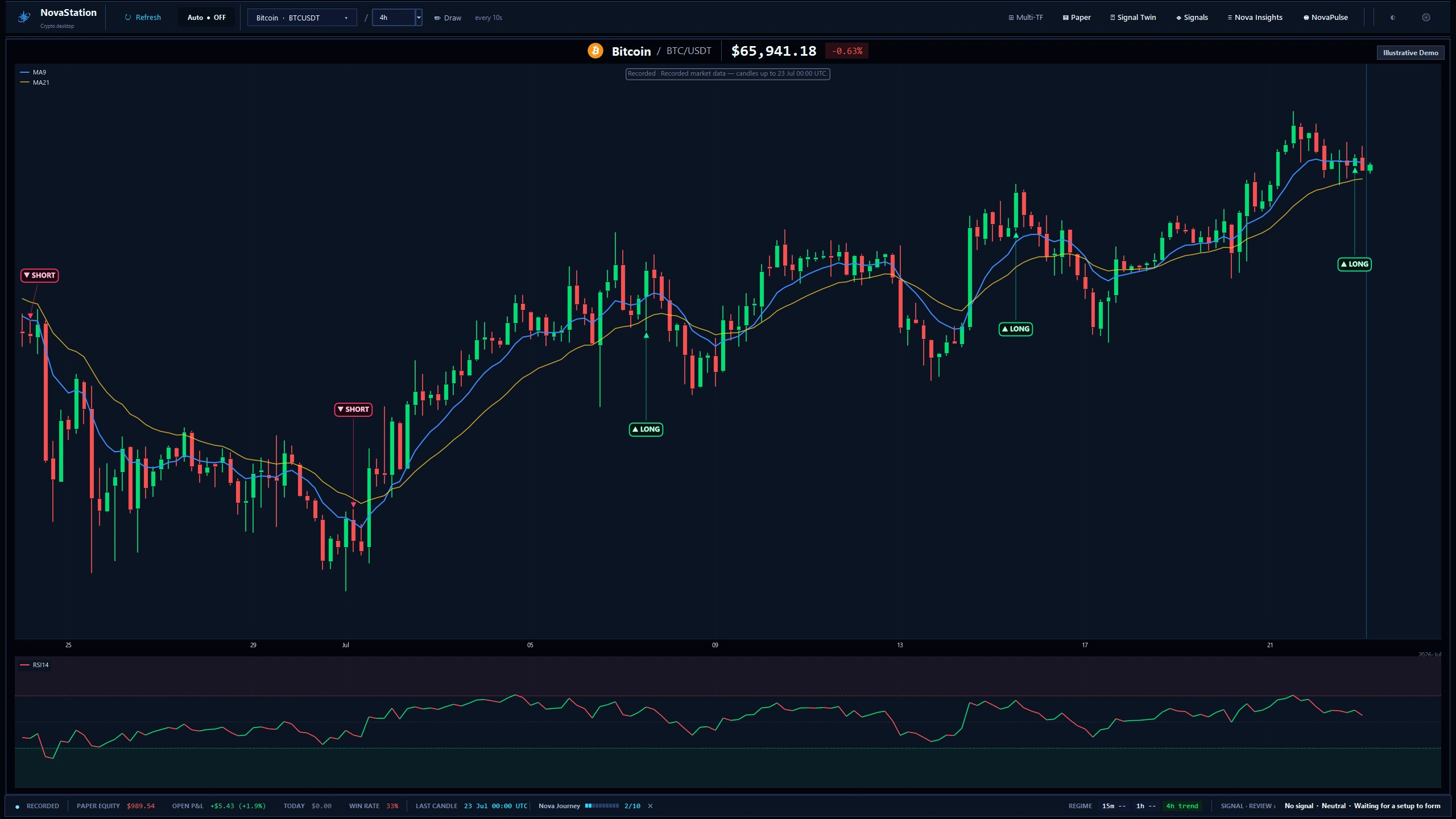
The main workstation on a recorded BTC/USDT 4h chart. The frame is labelled Recorded and Illustrative Demo — this is a captured session, not live data.
Signal Twin and Market Memory line the current setup up against past ones and show how each resolved, including the ones that went nowhere.
What to look for
The ones that went nowhere. A comparison that only counts the winners is not a comparison.
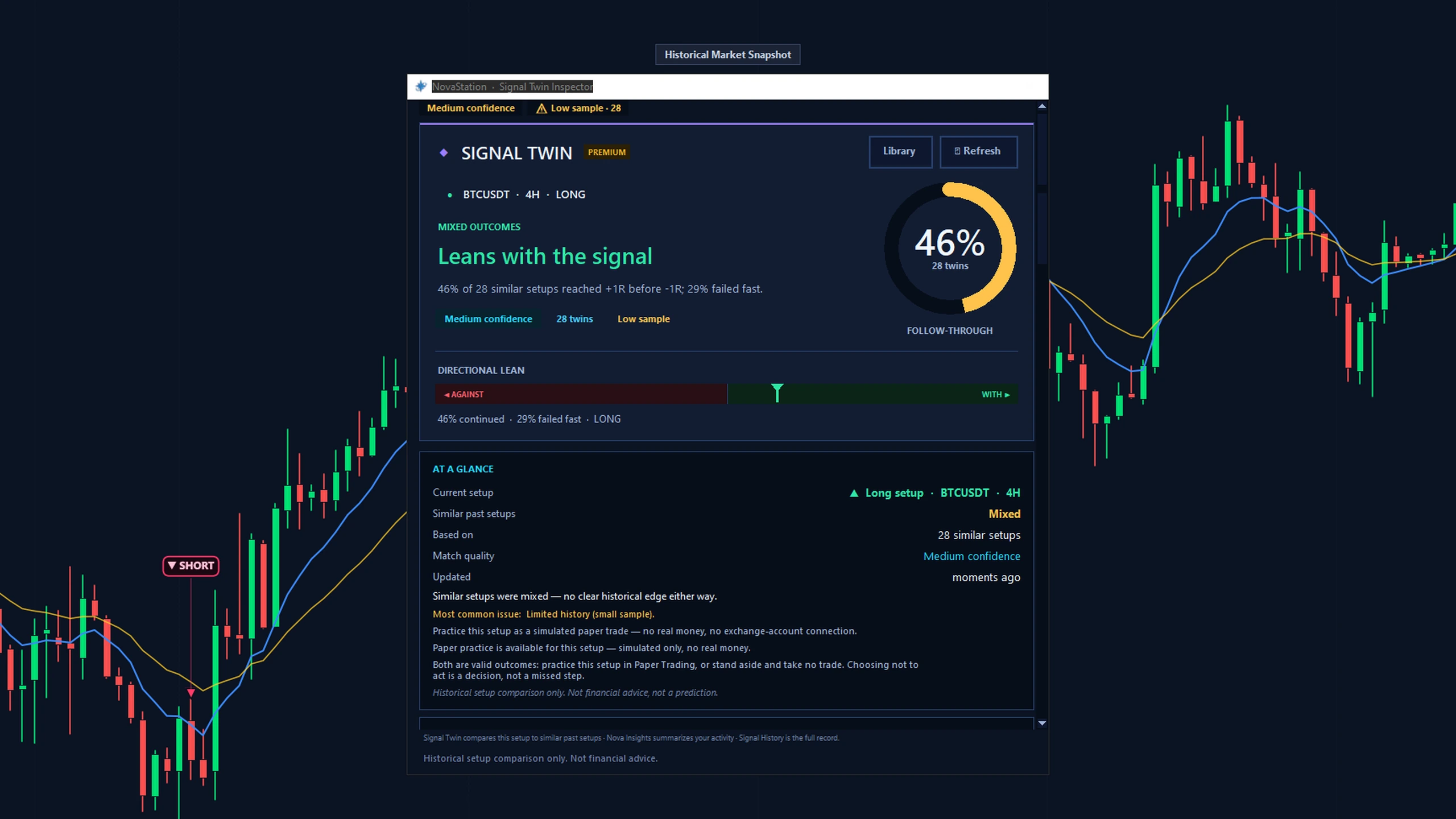
Signal Twin on a recorded snapshot: one LONG setup against 28 comparable past ones. The window flags the low sample and reads “mixed — no clear historical edge”.
Each comparison is logged with the sample it drew on and how the setup resolved, so the evidence accumulates instead of resetting.
What to look for
Whether your reading of the comparison matched how the setup actually resolved.
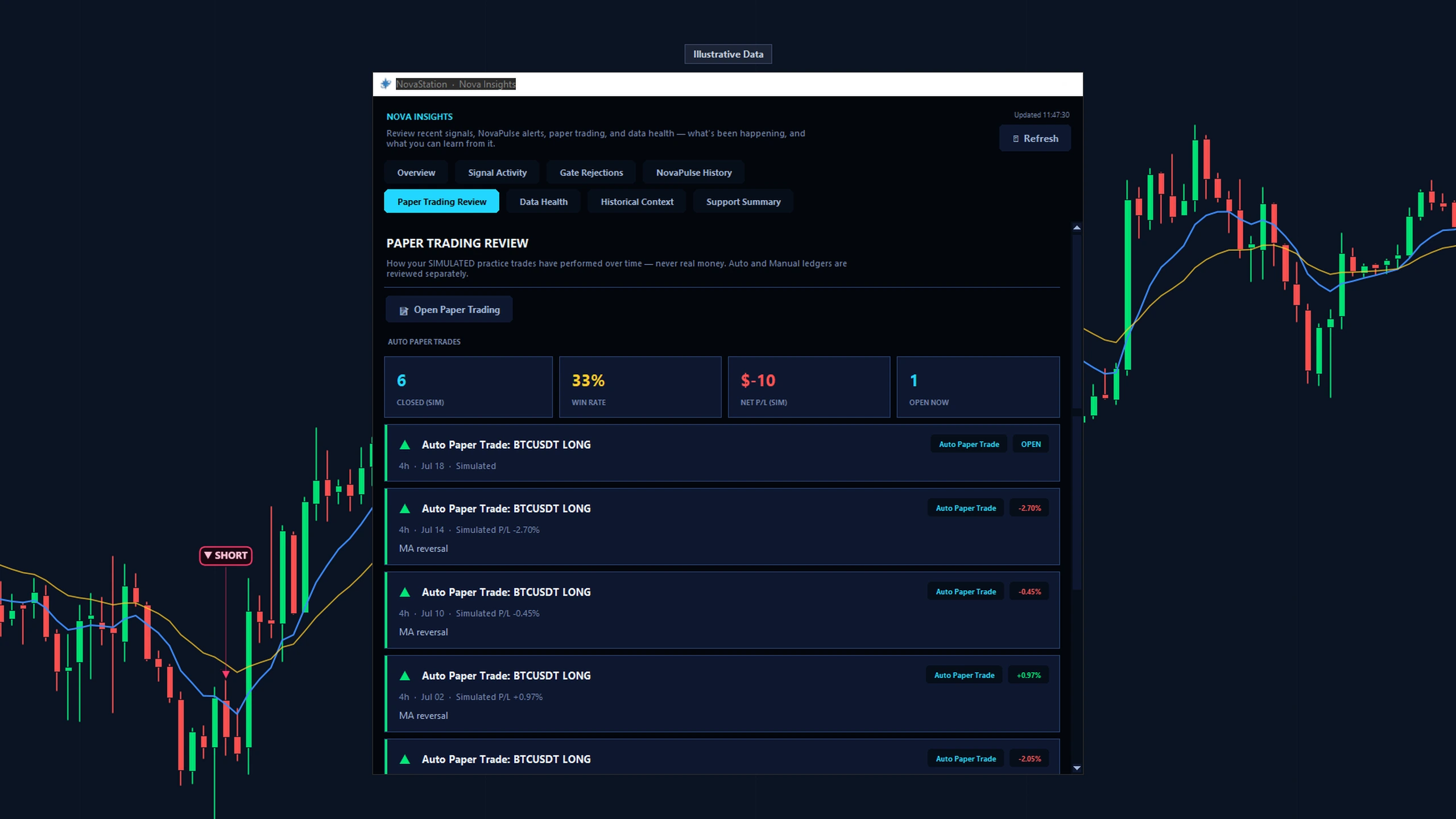
Nova Insights on the Paper Trading Review tab, labelled Illustrative Data. The figures come from the app's own reconciled paper ledger, not from real trading.
A record is what turns a comparison into evidence rather than an impression.
Open one setup in Signal Twin and inspect sample quality, similarities, and common failures.
Access
What this path costs.
Lite—
Trial or PremiumSignal · Inspect · Compare · Review
Trial7 days · starts inside the app · no card
Chart is the free Lite workspace — for as long as you like, with no
account and no card. The other stages are Premium: you start the trial
from inside the desktop app, not from this website, and it does not ask for a card.
See pricing for what Premium costs afterwards.
Signal Twin shows how comparable setups resolved. A resemblance is not a promise.
A signal is context, not an instruction.
Next
Continue in NovaStation
You've explored this starting path.
You put a live setup beside comparable history — sample quality first, then the resemblance, then a record you can check against later.